NIS2 software for companies with 50 to 150 employees
Been asked to handle NIS2? Start with the first item.
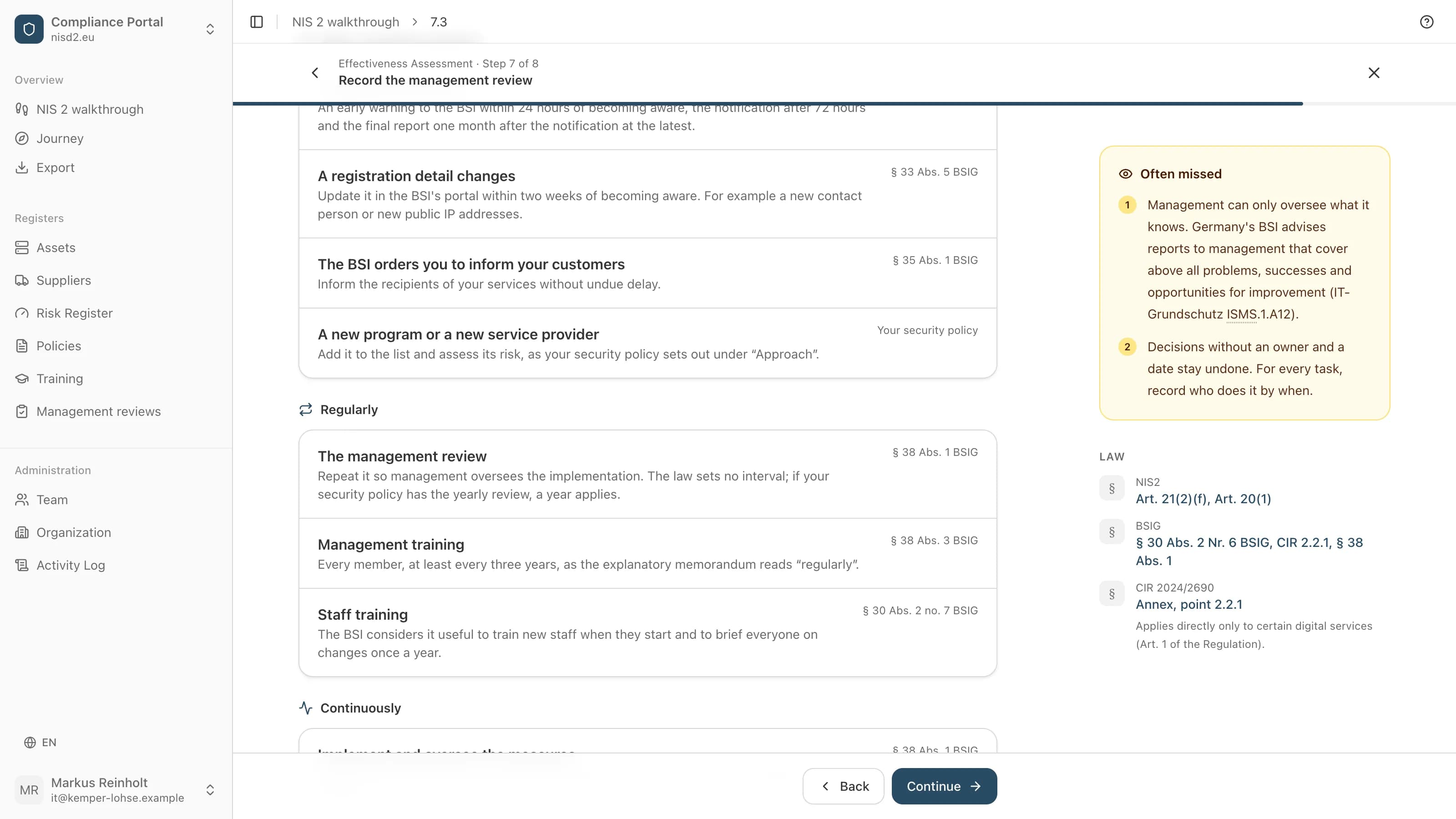
We explain which NIS2 obligations your company has and how to meet them, step by step, with no consultant and no prior knowledge. Registration comes first, with your country's authority and portal on screen. The texts are drafted from what you enter, and at the end your management reviews and approves them.


Programmes and memberships
Does your management need NIS2 training?
Management must take part in training regularly, so it can identify and assess risks (Article 20(2) NIS2).
Free
The NIS2 course for managing directors47 lessons, about 4 hours. Sign up for free and start straight away. At the end, a certificate of completion records the training; the law requires no accreditation for such courses.
What your management asks first
- What does it cost?
- 4800 € net per year, for every company in your group and every user, hosted in Germany, with a data processing agreement. You order on invoice and have 30 days money back. If your IT runs the software on your own servers, the self-host licence applies, paid once, and your IT does the setup. The training for management stays free either way.
- Do we need to hire someone?
- No. One person from your company works through the items in order, and management approves at the end in the app. What only your IT provider knows, you ask them, and the item tells you what to ask. You do not need a consultant.
- How much work is it?
- The app takes you through 21 items, from registration to approval. You can do the first 4 without ordering, and then you know how long an item takes at your company. We will give one number of hours for everyone once we have measured it at enough companies. What cannot be done yet, you set aside with a reason. How far the measures must go depends on the size of your company and the cost (Article 21(1) NIS2).
- Who stands behind the texts?
- Your company. The texts are drafted from what you enter, and your management reviews and approves them. The law asks for that anyway: management must approve the measures and oversee their implementation (Article 20(1) NIS2). This is not a certification.
What you hold at the end
Everything in one document
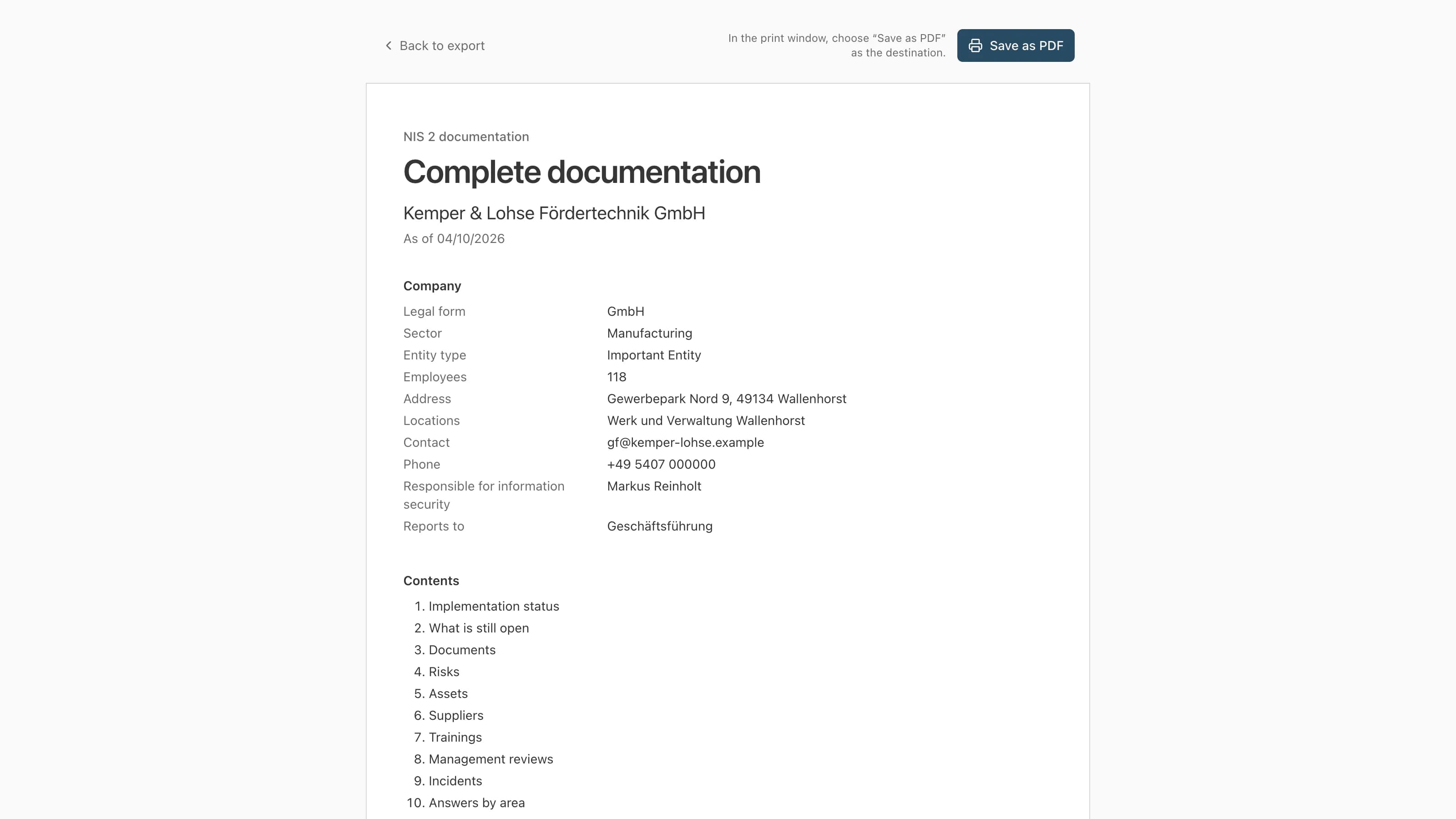
Everything from start to finish: status, open points, documents, the overview of your risks, every list and answer. Save it as a PDF from the browser.
Your lists
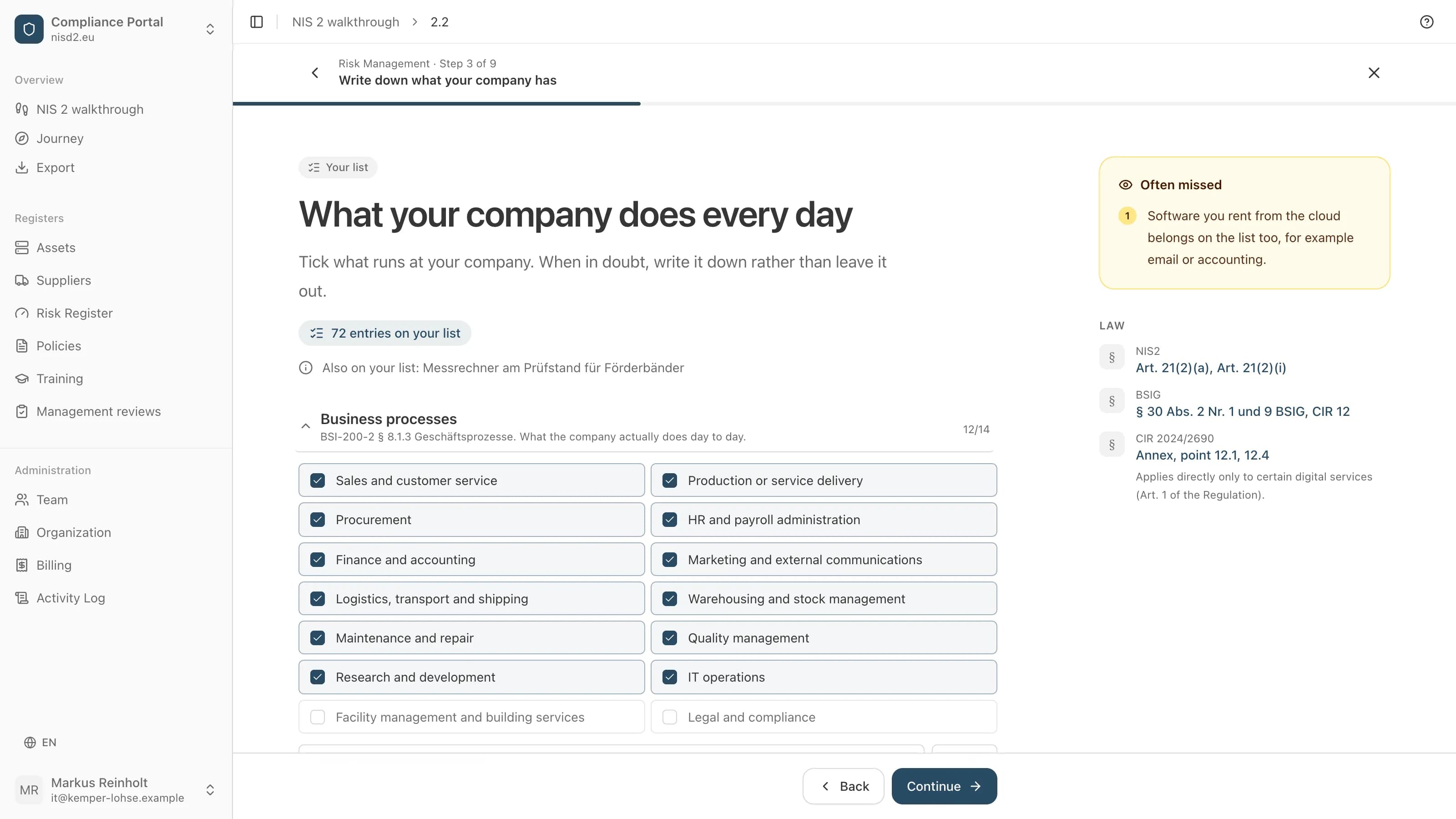
What you tick and enter step by step is then in your lists: software and technology, suppliers, risks, policies, trainings and management's reviews.
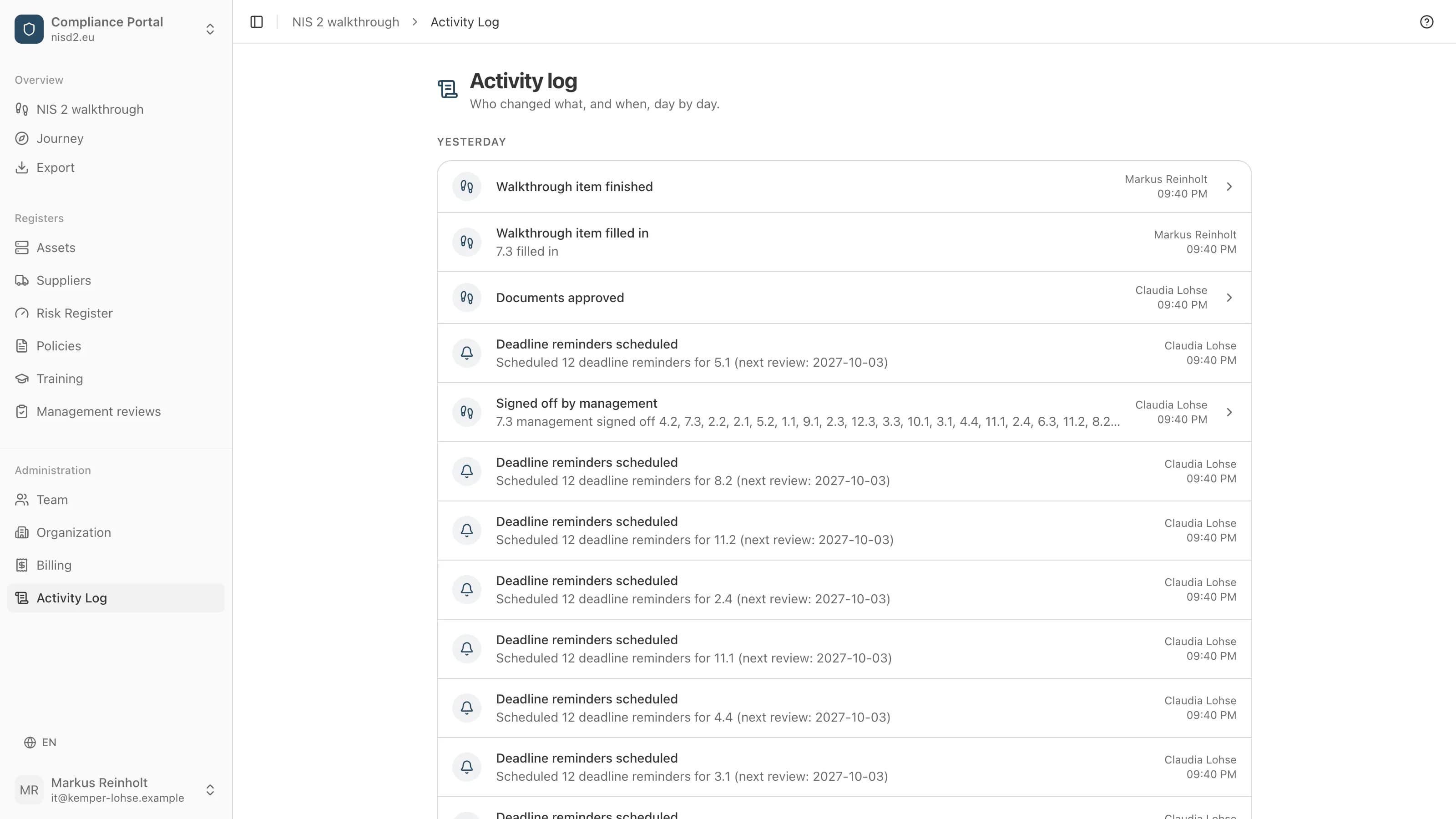
Who changed what
The log records, day by day, what changed, when and by whom. Every approval by management is in it too.
How you get there
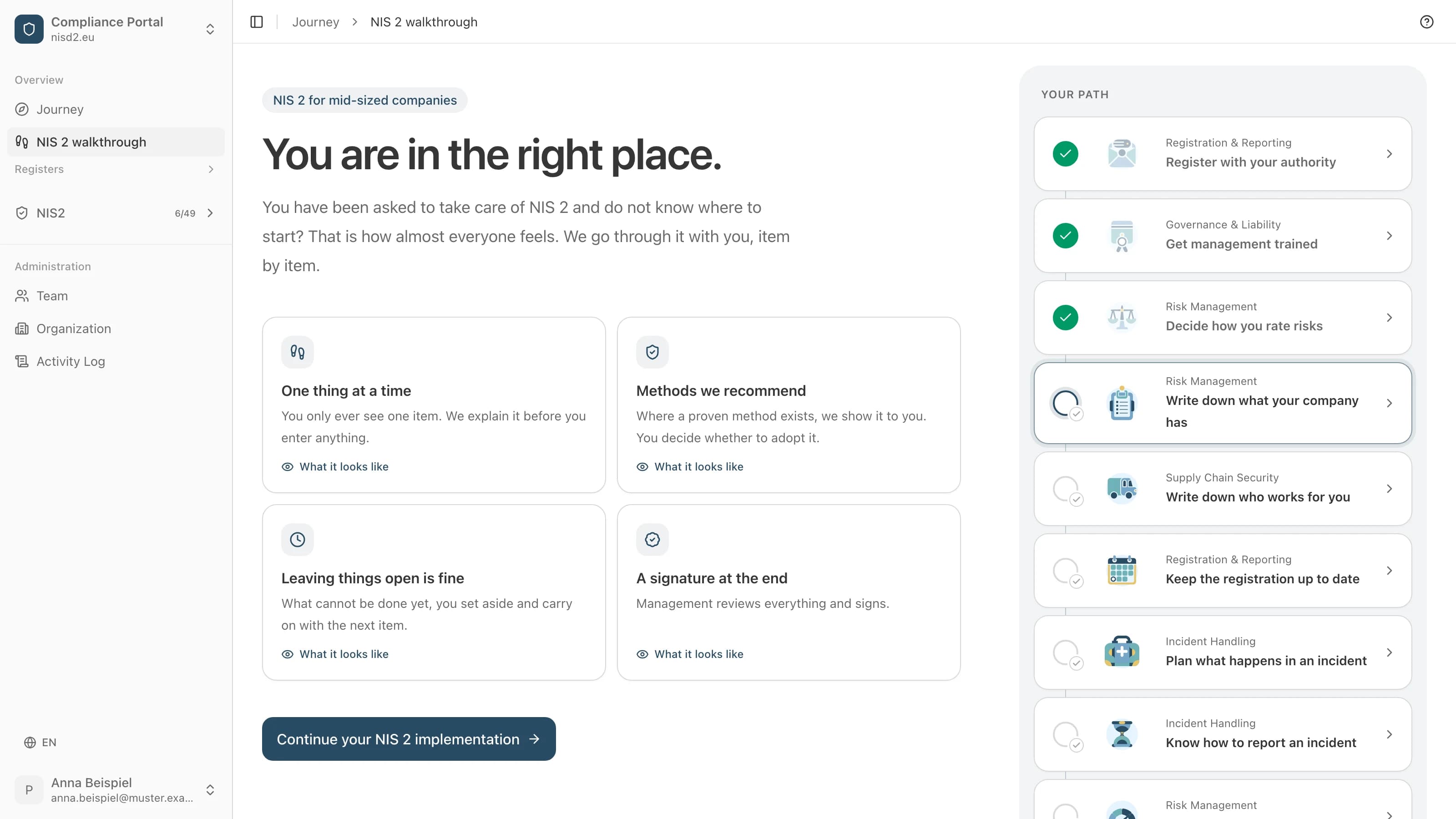
Like tax software: you enter what only your company knows, its software, suppliers and risks. The texts are drafted from what you enter, and management reviews and approves them. Every picture shows the real app, filled in for made-up example companies.
- 1
One thing at a time
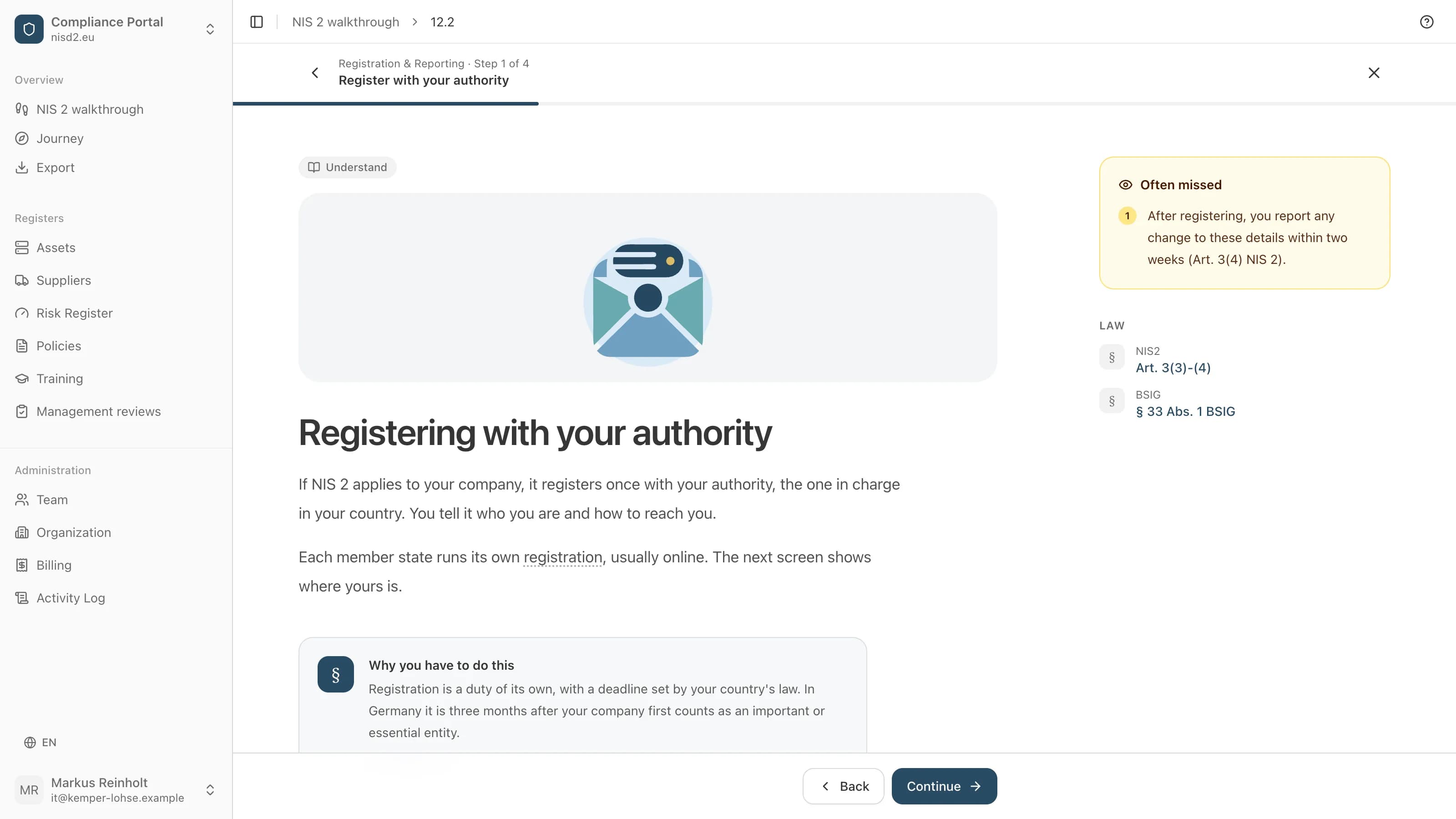
You only ever see one item, from registration to the duty to report incidents. We explain it in plain words before you enter anything, and the law behind it is one click away.
- 2
Methods from the BSI
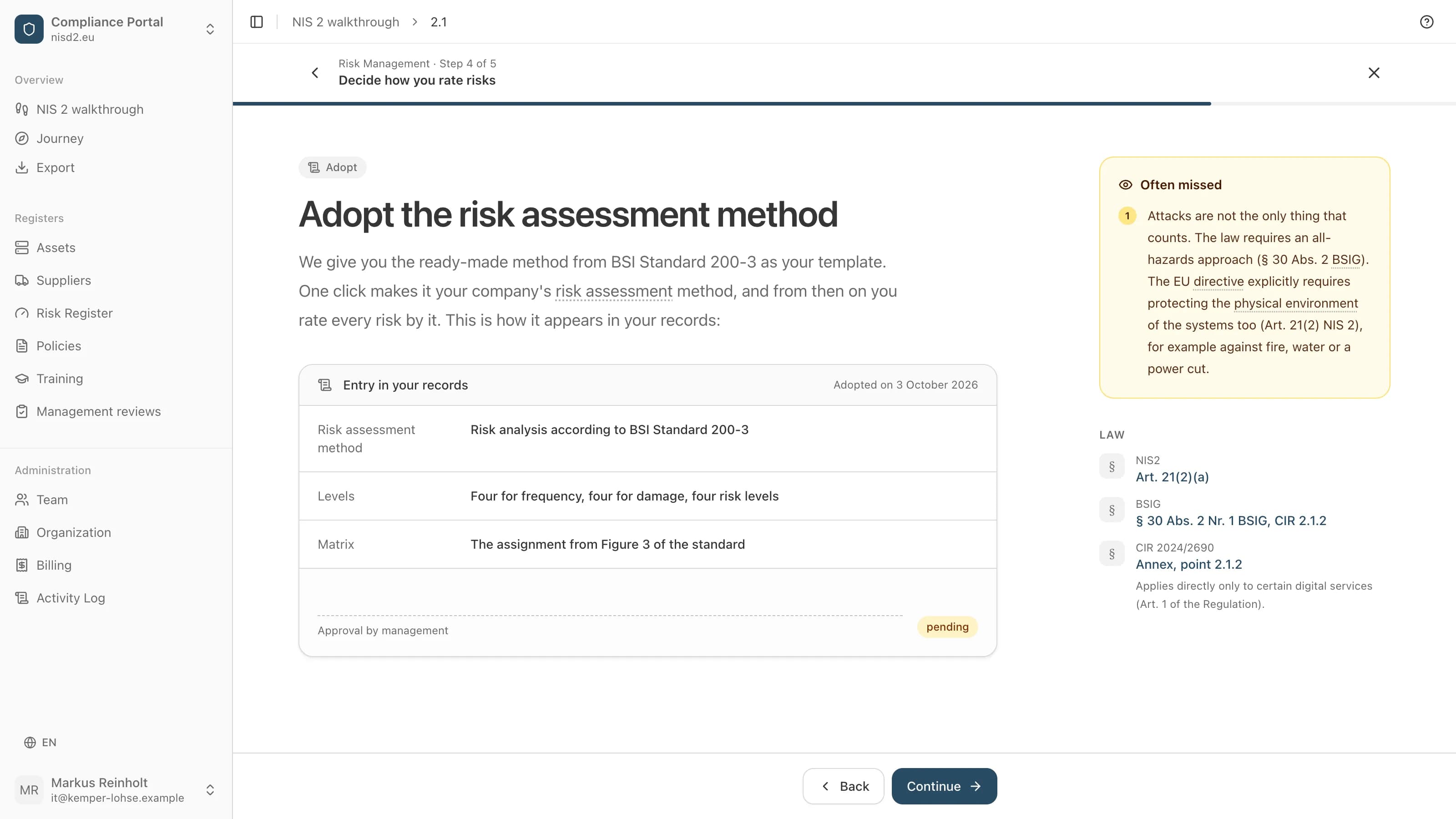
Where Germany's Federal Office for Information Security (BSI) recommends a method, it is ready for you, such as the risk assessment from BSI Standard 200-3. One click makes it your company's method. Whether you adopt it is your decision.
- 3
Where to act first
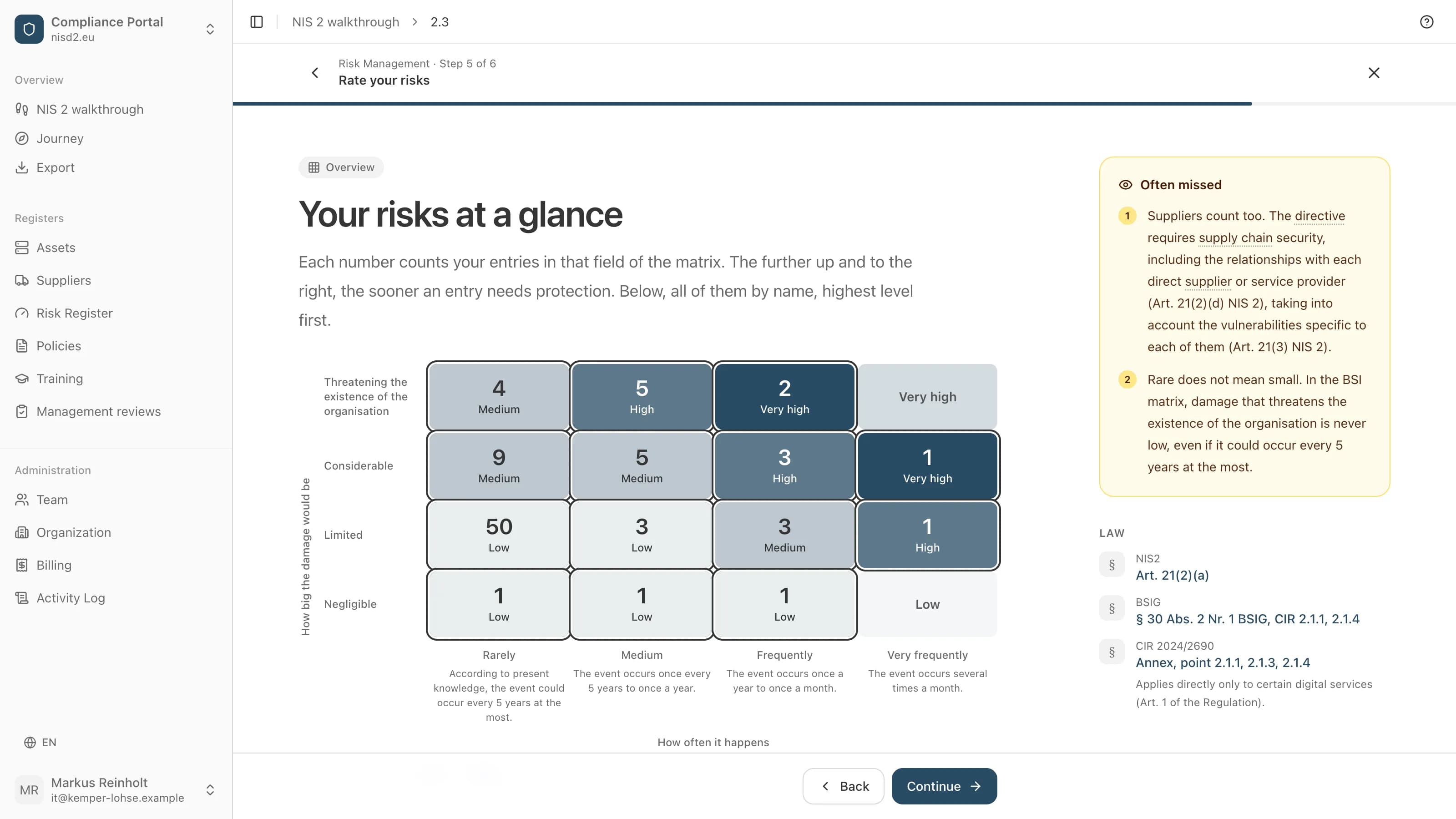
You rate your software, your technology and your suppliers on the BSI's matrix. The overview shows where your entries sit and what needs protection first.
- 4
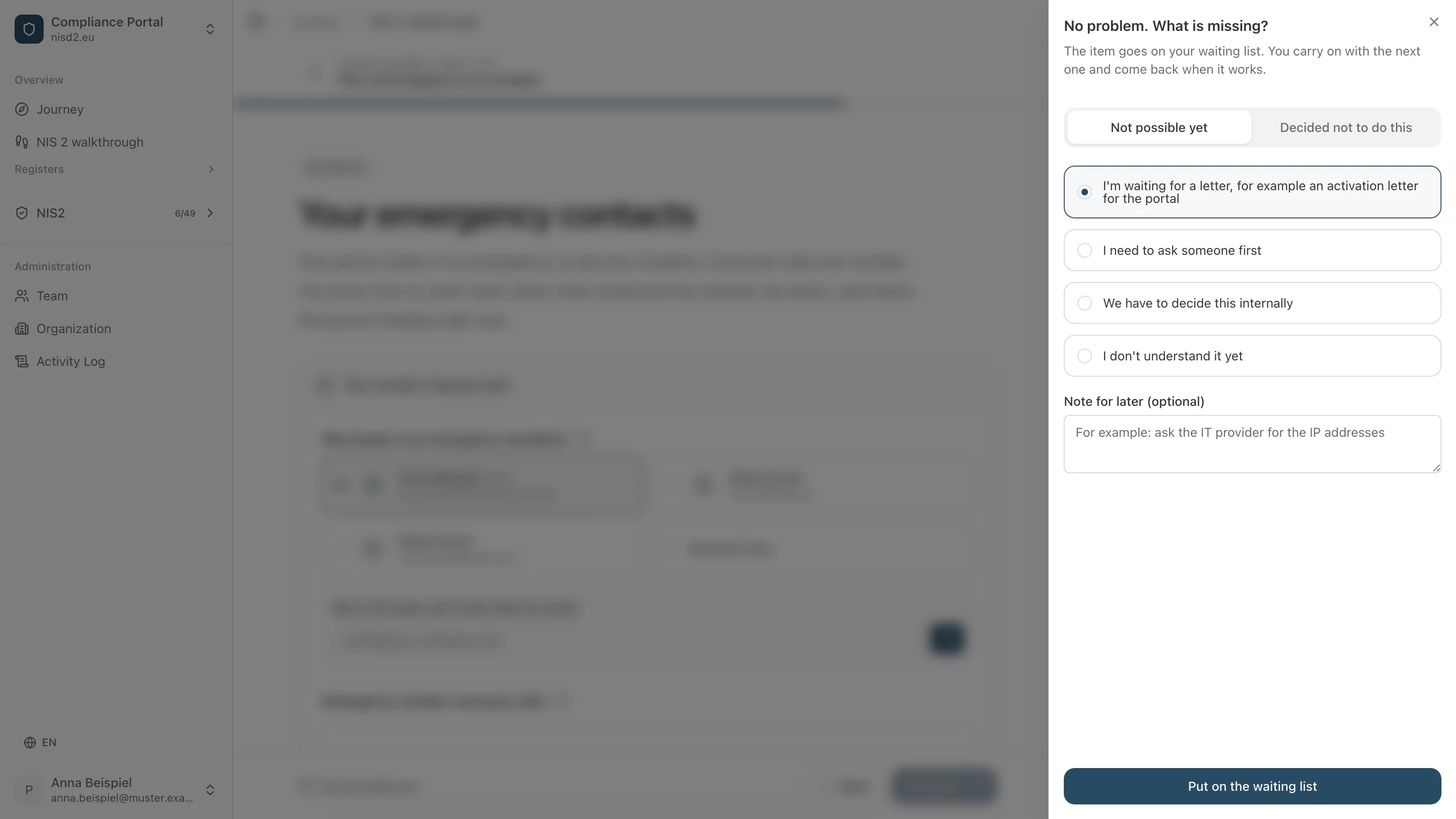
Leaving things open is fine
What cannot be done yet, you set aside with a reason, for example because you are waiting for a letter or need to ask someone first. The item goes on your waiting list and you carry on with the next one.
- 5
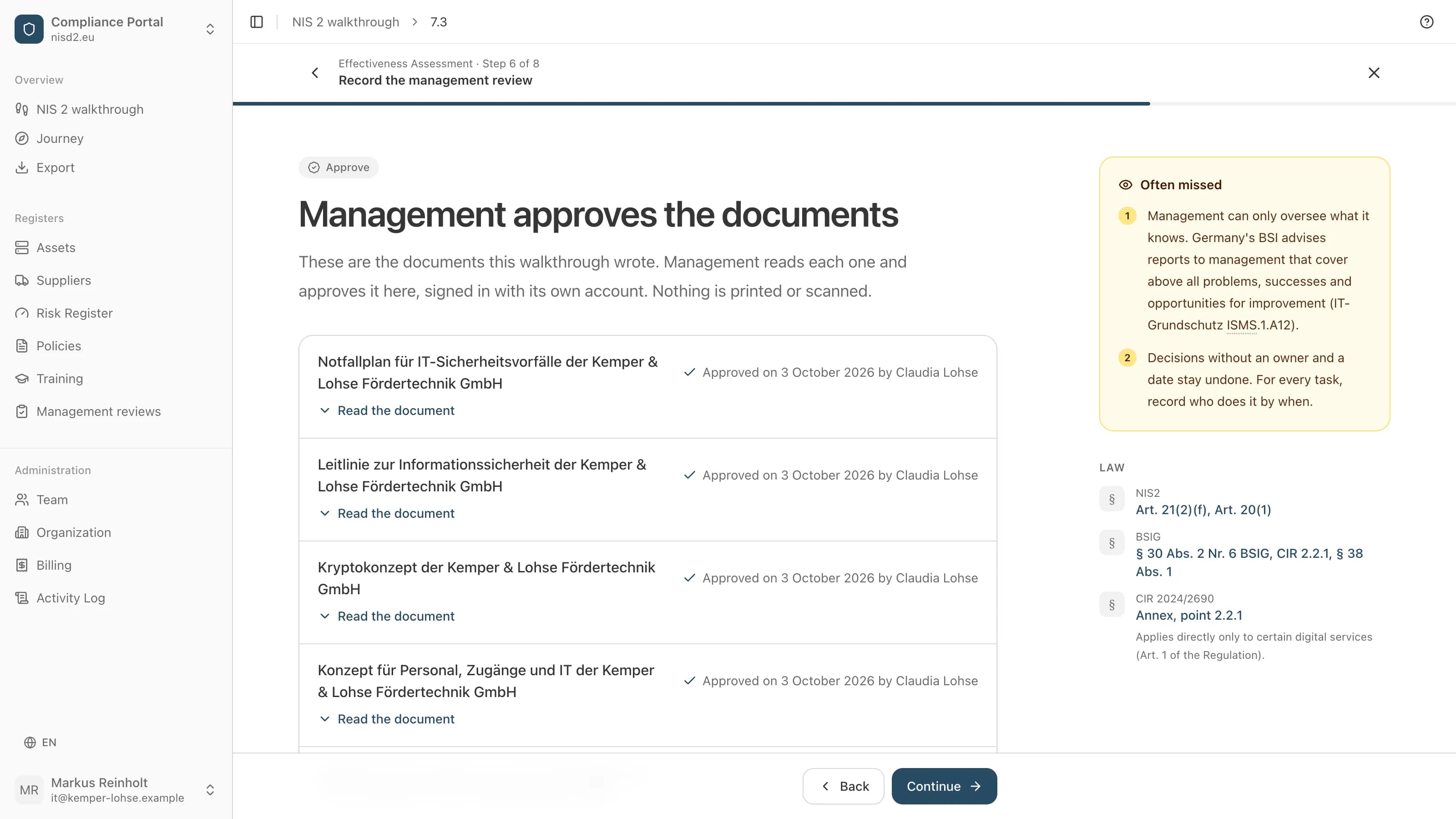
Management approves in the app
At the end, management reads the documents drafted from what you entered and approves them, signed in with its own account. Its name and the date then appear on each document. Nothing is printed or scanned.
- 6
Stays current
After the approval, one page shows what stays with you: what to do when something happens, and what comes round again. When a date comes due or you change a list, the item goes back to management for approval.