NIS2 software for companies with 50 to 150 employees
Missed the NIS2 deadline? Start today.
We guide you through NIS2 step by step, with no consultant and no prior knowledge. Registration comes first, with your country's authority and portal on screen. The app writes the texts, and your management approves them at the end.



Programmes and memberships
What you hold at the end
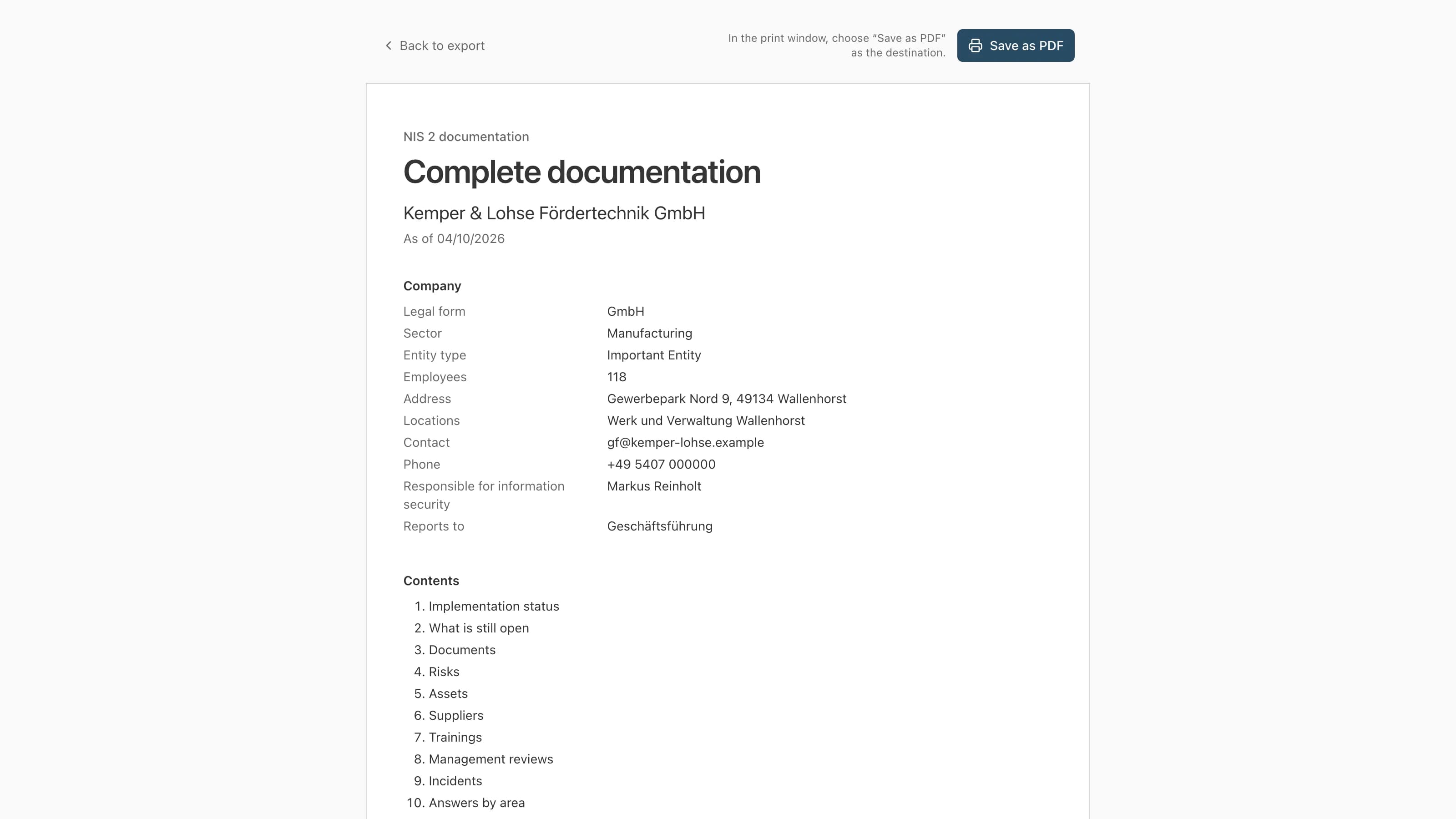
Everything in one document
Everything from start to finish: status, open points, documents, risk matrix, every register and answer. Save it as a PDF from the browser.
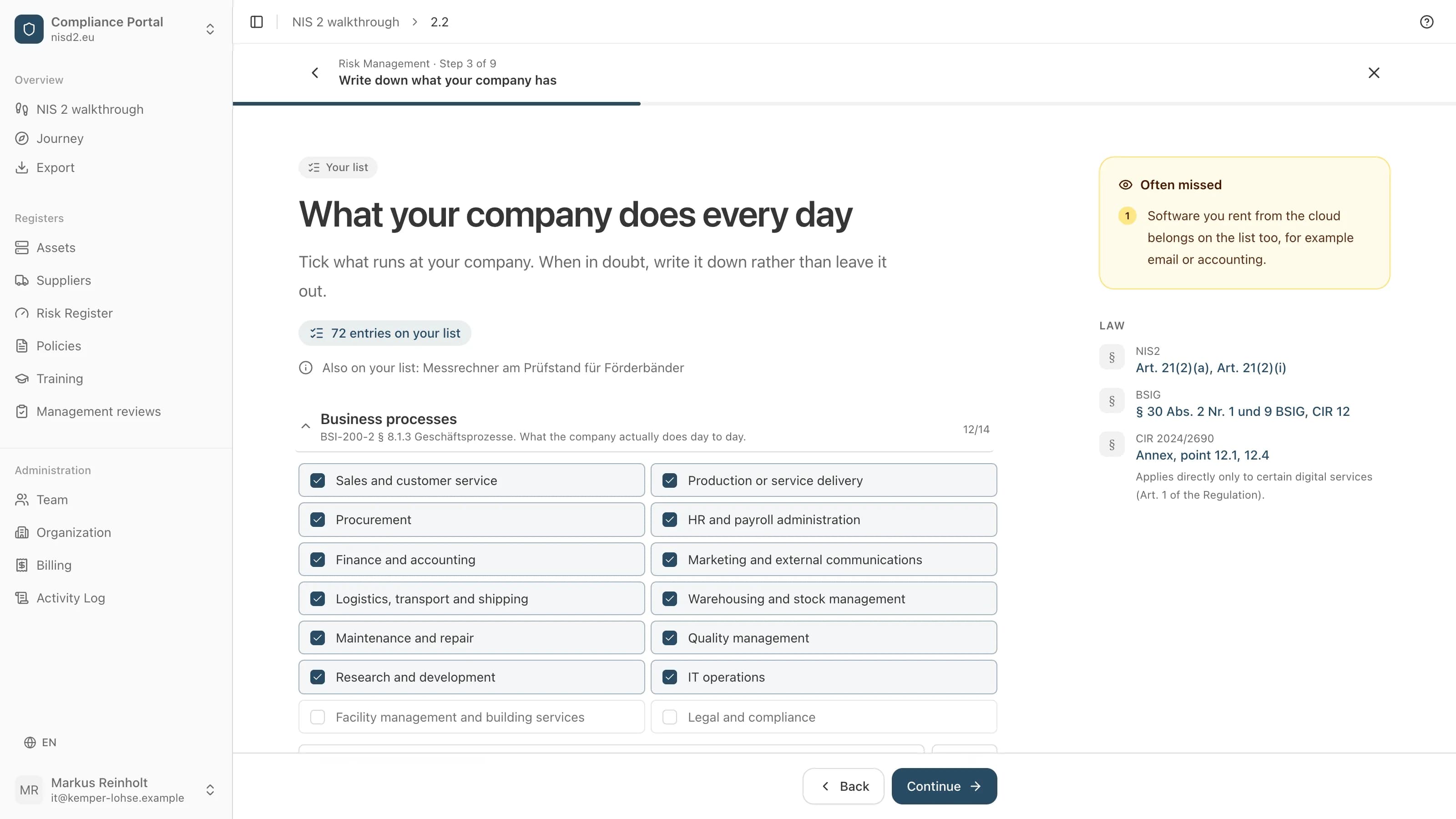
Your registers
What you tick and enter step by step is then in your registers: assets, suppliers, risks, policies, trainings and management reviews.
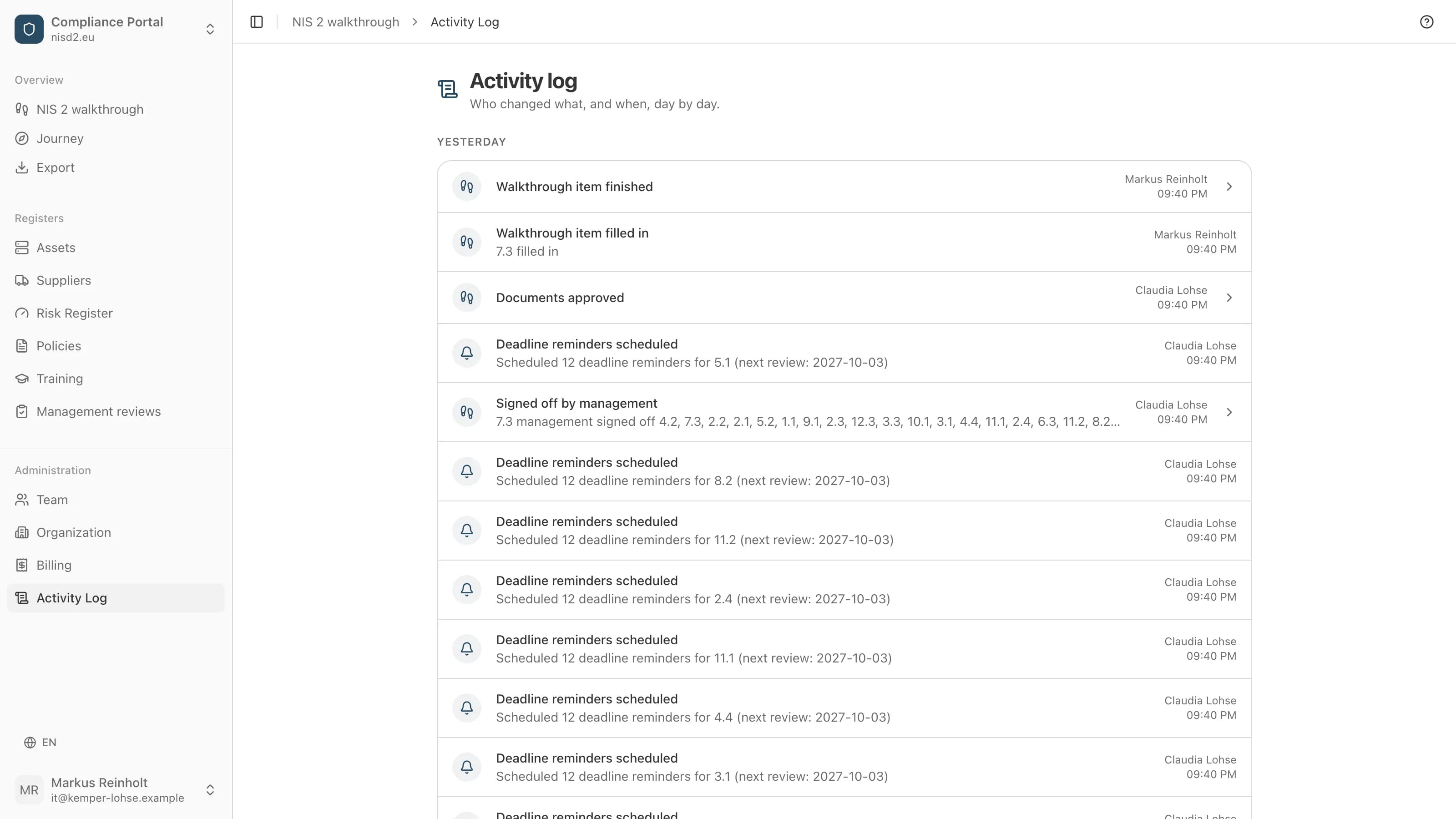
The activity log
It shows, day by day, who changed what and when. Every approval by management is in it too.
How you get there
Like tax software: you enter what only your company knows, its software, suppliers and risks. The app writes the texts, and management approves them. Every picture shows the real app, filled in for made-up example companies.
- 1
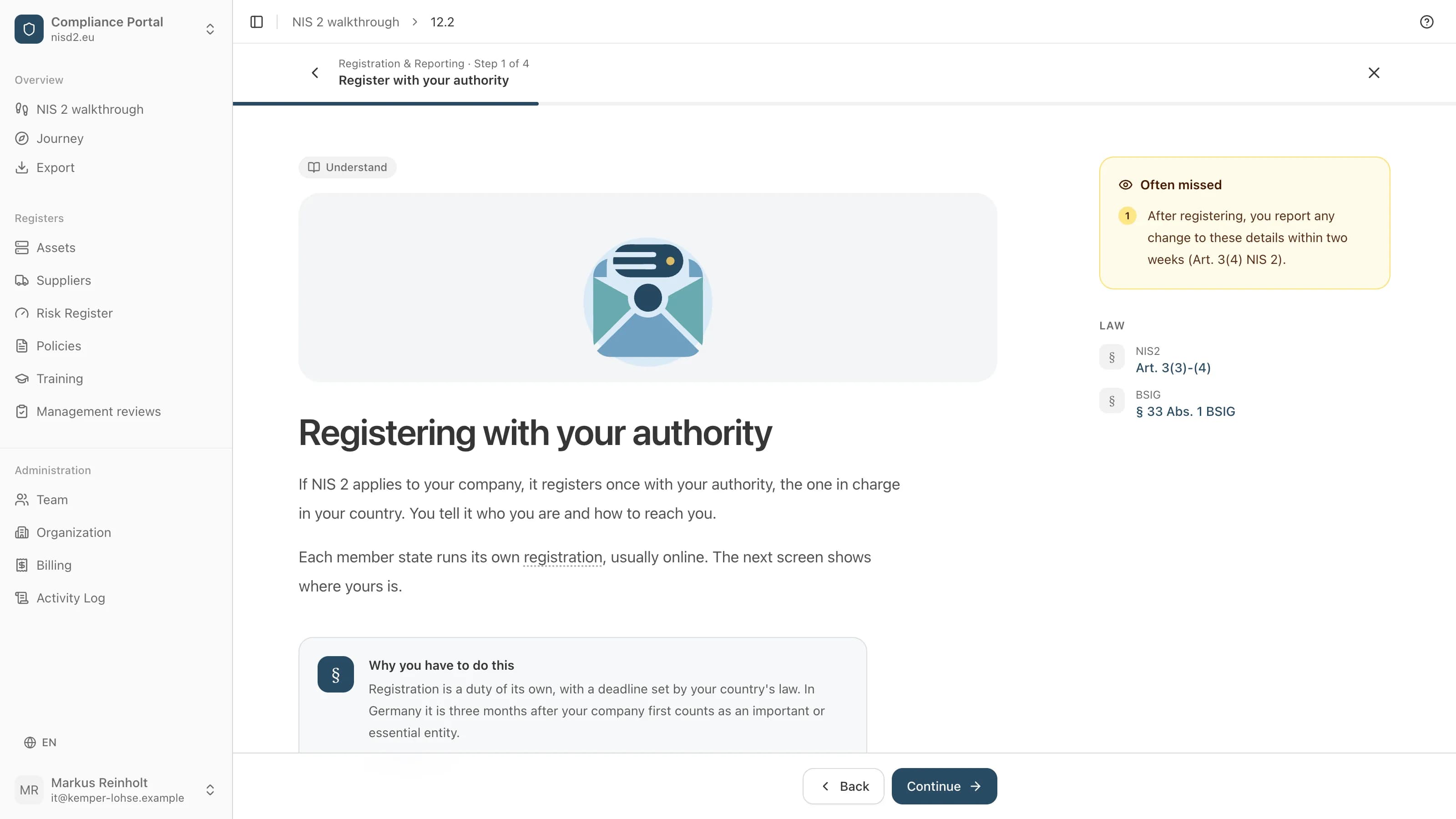
One thing at a time
You only ever see one item. We explain it in plain words before you enter anything, and the law behind it is one click away.
- 2
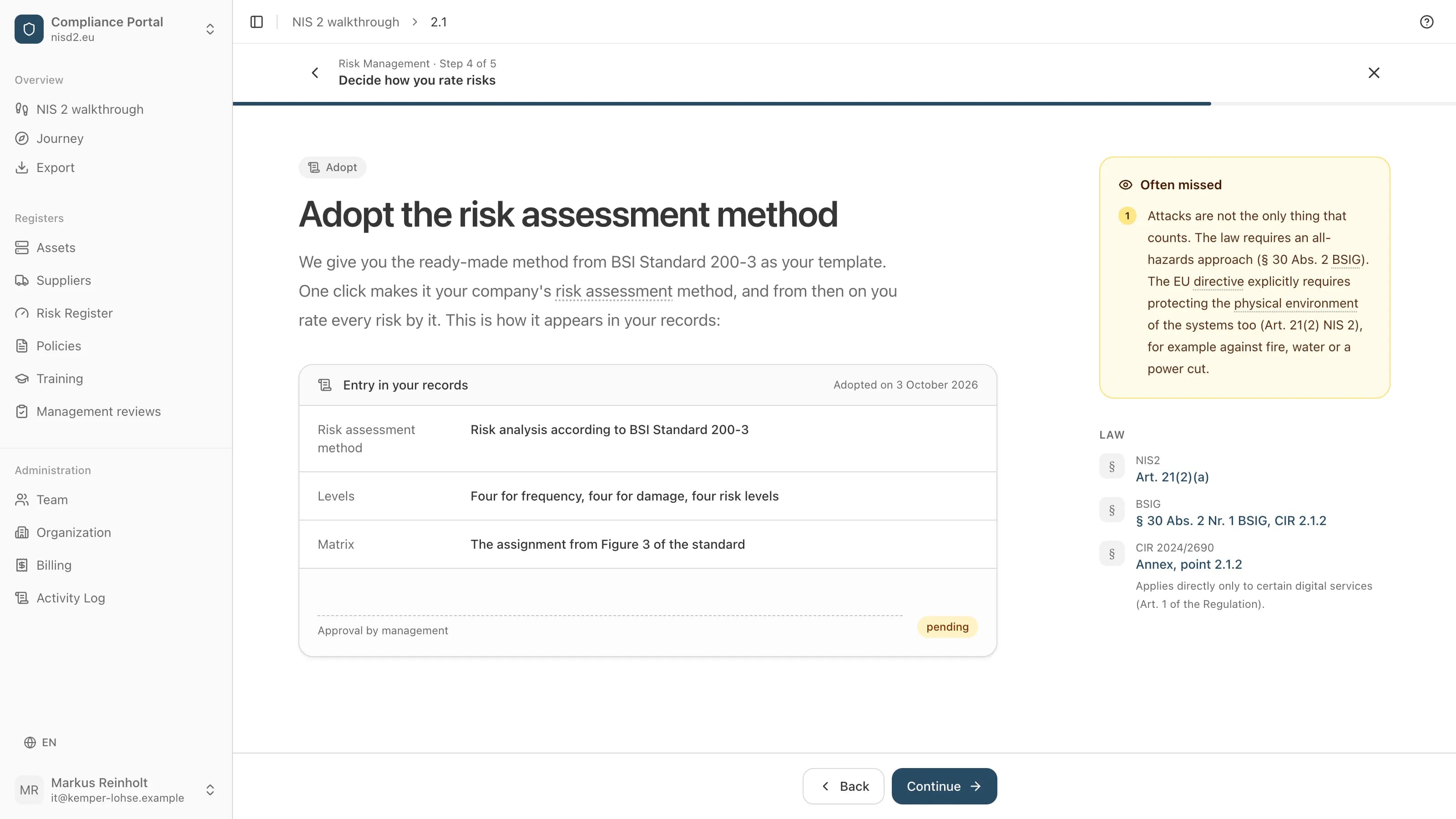
Methods from the BSI
Where Germany's Federal Office for Information Security (BSI) recommends a method, it is ready for you, such as the risk assessment from BSI Standard 200-3. One click makes it your company's method. Whether you adopt it is your decision.
- 3
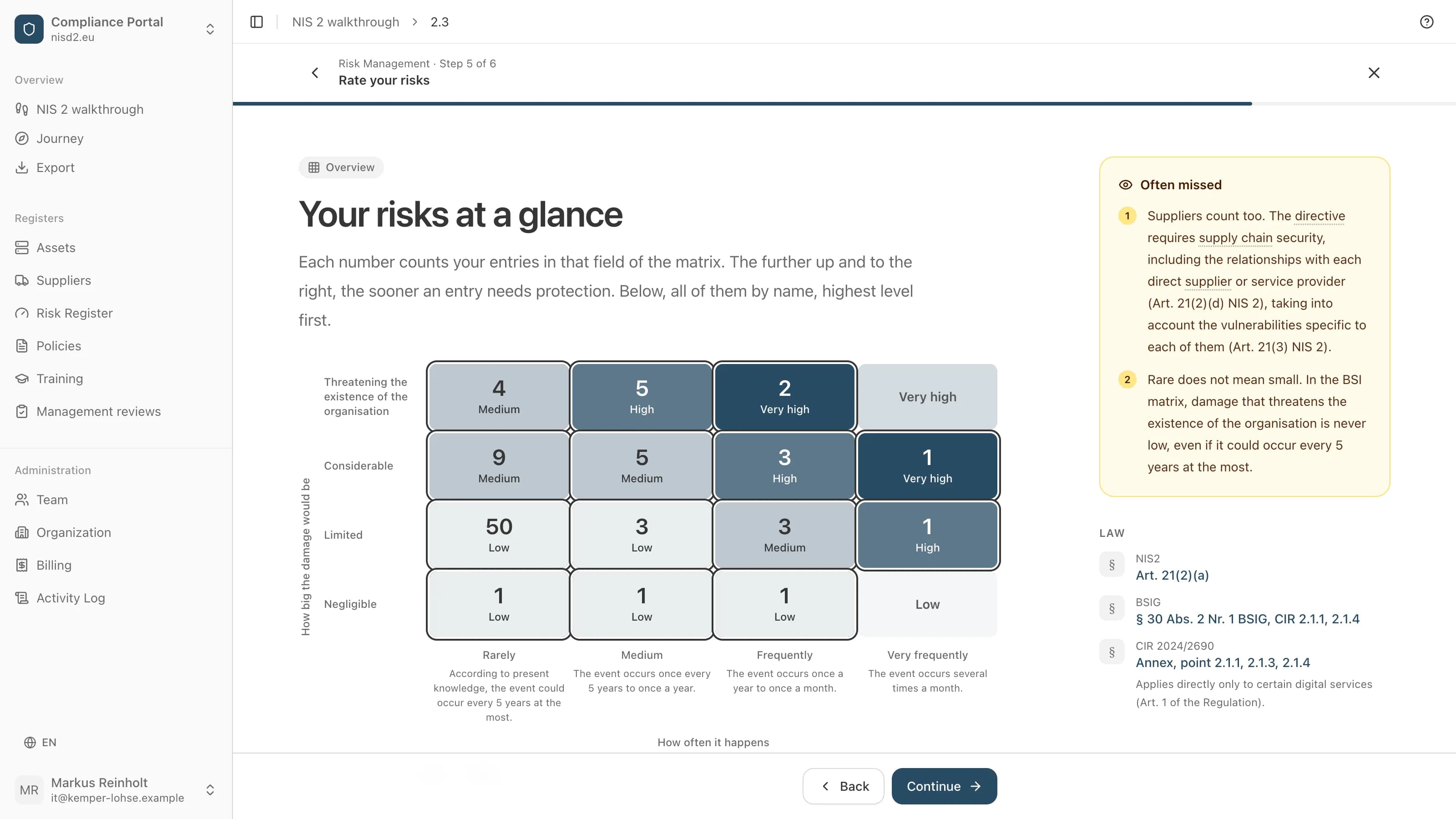
Your risks at a glance
You rate your software, your technology and your suppliers on the BSI's matrix. The overview shows where your entries sit and what needs protection first.
- 4
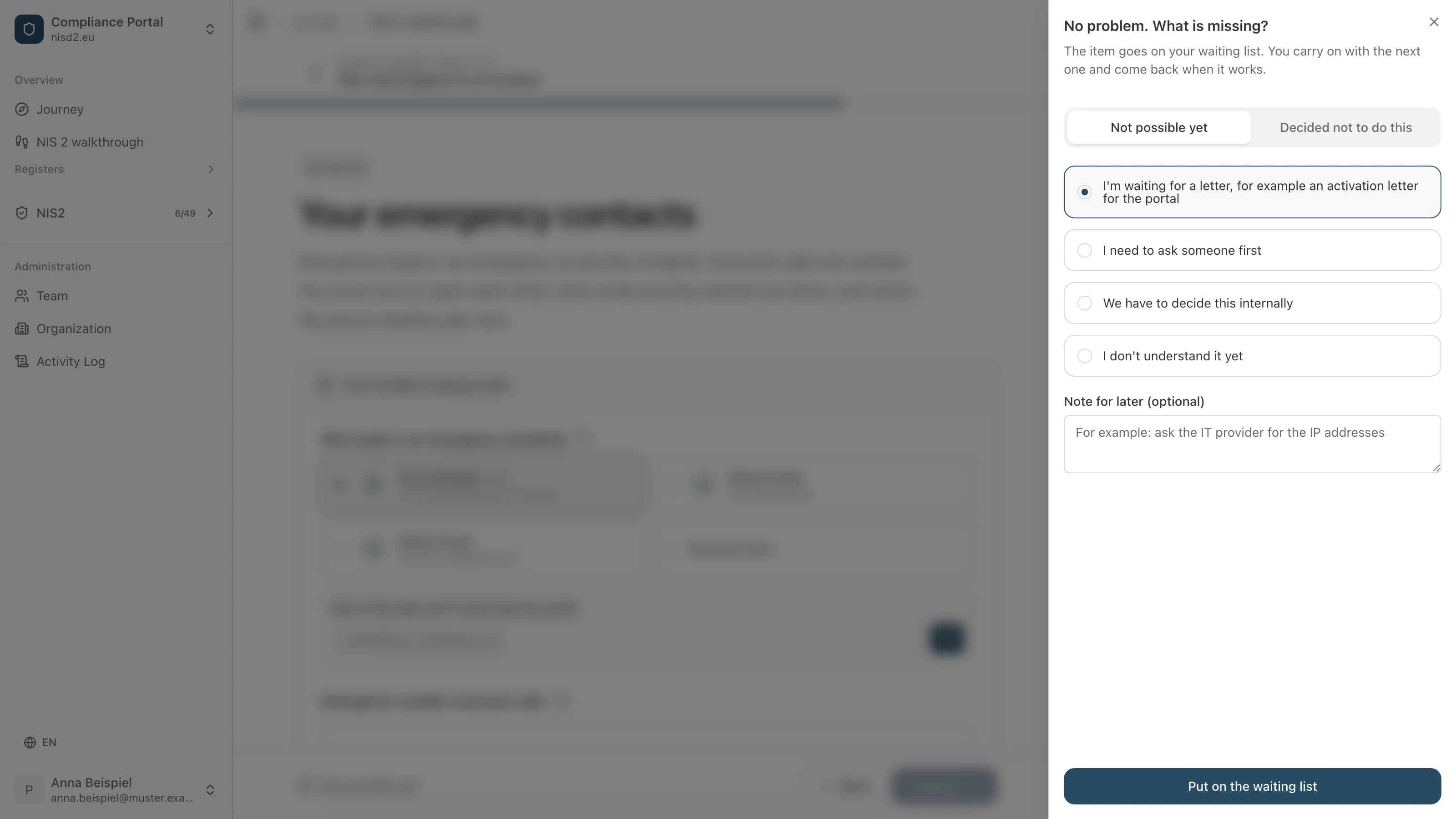
Leaving things open is fine
What cannot be done yet, you set aside with a reason, for example because you are waiting for a letter or need to ask someone first. The item goes on your waiting list and you carry on with the next one.
- 5
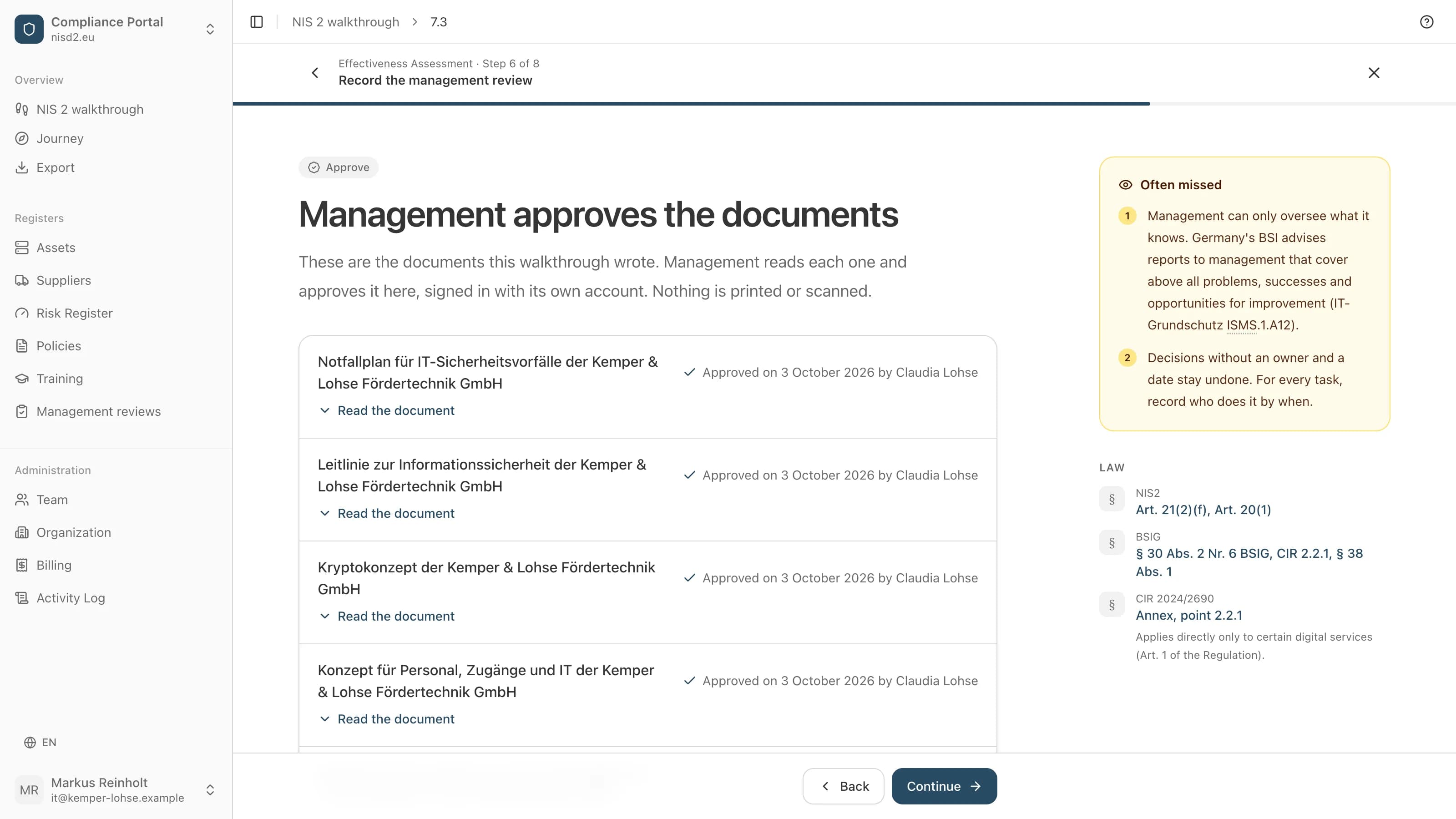
Management approves in the app
At the end, management reads the documents the app wrote and approves them, signed in with its own account. Its name and the date then appear on each document. Nothing is printed or scanned.
- 6
Stays current
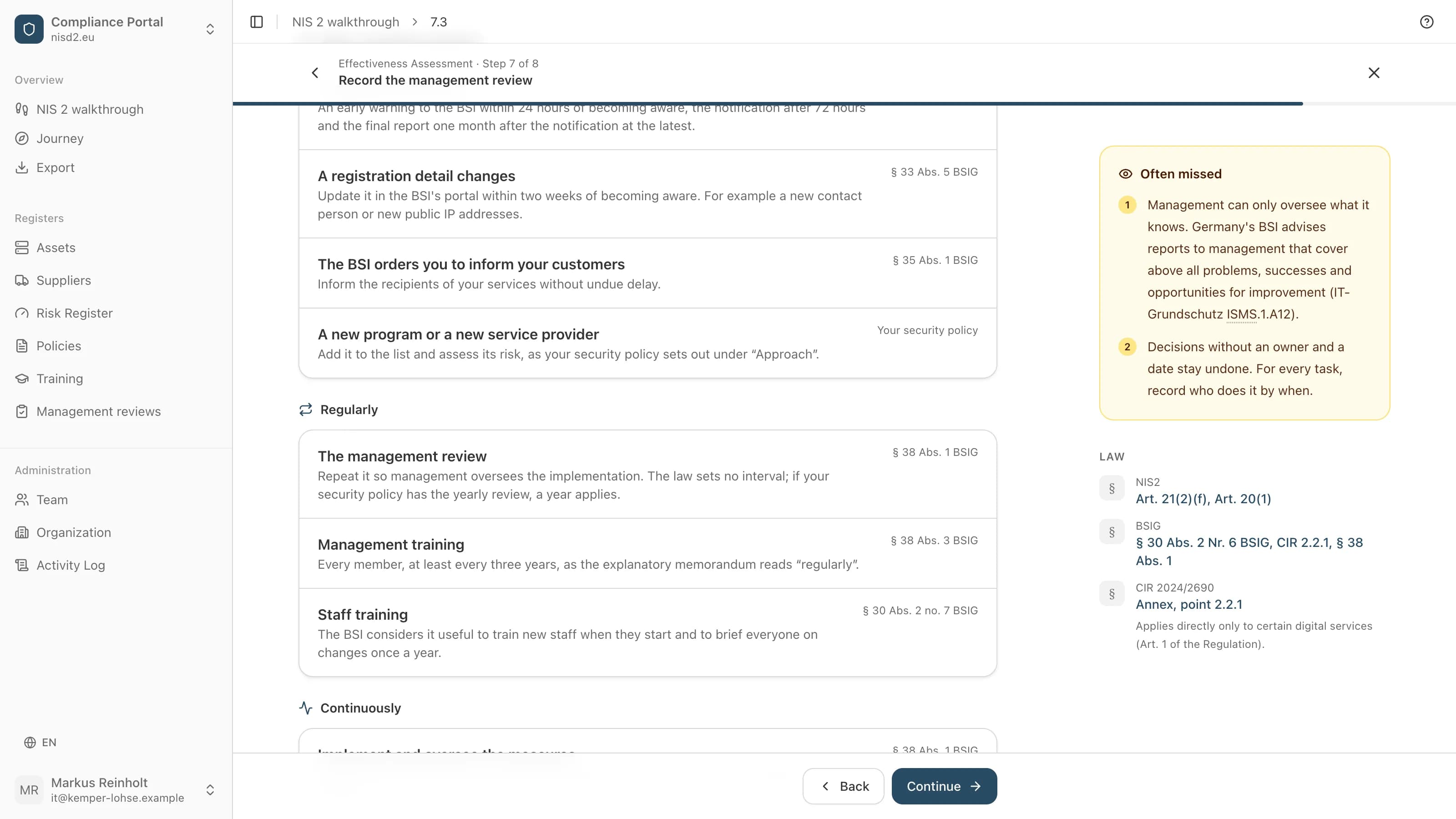
After the approval, one page shows what stays with you: what to do when something happens, and what comes round again. When a date comes due or you change a list, the item goes back to management for approval.
Start with the first item.

Open source
The platform is open source and free to host yourself. We earn from the guided walkthrough, not from your data. The code and schemas are open on GitHub, so you can check for yourself. Everything exportable, no lock-in.